Hermes Agent
Why I moved from OpenClaw to Hermes Agent — I can see what it's doing, and it learns how I work without being told twice.
Before I used an AI agent, I was using chatbots like ChatGPT, Claude and Gemini. They couldn’t actually do the work for me. It was mostly me copy-pasting from a chat window into an IDE like VS Code.
An agent is different. It’s like having a friend with another computer. I give it direction and intention, and it goes off and does the work on its own. OpenClaw was the first agentic tool that showed me what that could look like: a human hands off a piece of work, and the agent builds the software or finishes the job. An extension of what I can do.
What made me look elsewhere was that OpenClaw would often stop working mid-task and I’d be left wondering what was going on. Hermes Agent was trending around the time I hit that wall, so I tried it as an alternative. I’ve barely gone back.
Knowing what it’s doing
When OpenClaw stopped, usually nothing happened. No typing indicator, no error. I’d sit there wondering whether it was still working, whether it was stuck, whether the gateway was even up. It had a good repair feature in the doctor command, but that was the pattern: something breaks, I go troubleshoot it, then we continue.
Hermes rarely gets stuck. When it does, it’s much easier to work out why.
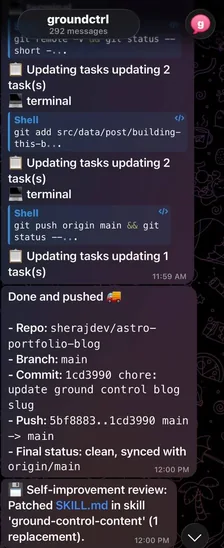

— one of my Hermes Agents
It learns how I work
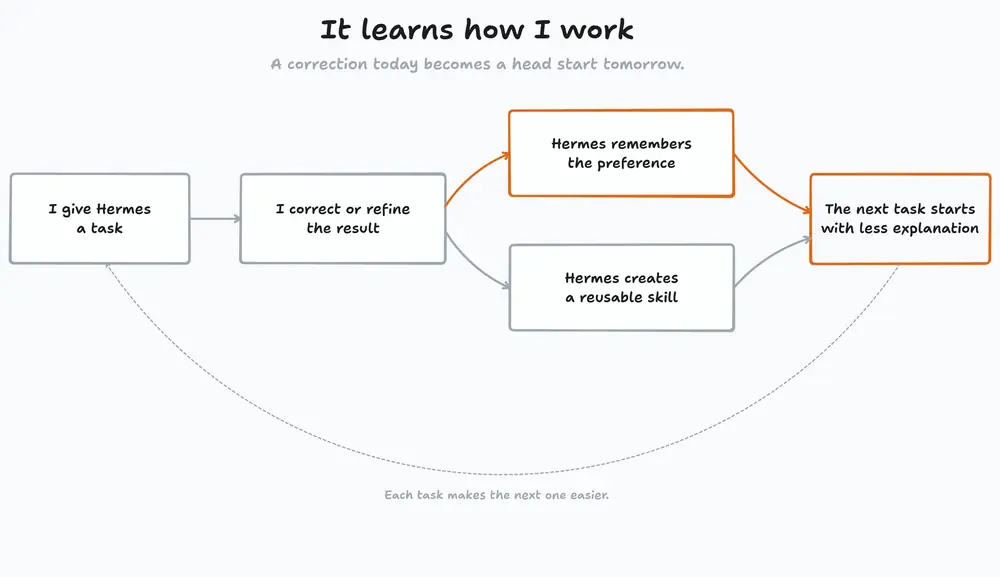
The bigger difference is that Hermes gets better the more I use it. If I tell it a style of writing I want, or a way I prefer to do software development, it remembers. Next time it just follows the preference. I’m not repeating myself, and I’m not writing “remember to do it this way” at the top of every request.
It also creates skills on its own, out of the interactions we’ve already had. That’s the thing that sets it apart from OpenClaw for me.
The first real build
The first proper task I handed to Hermes was a working web tool for my job. I work for a coating supplier, so I’m constantly comparing colour standards against physical fan decks. I asked Hermes to build me something that did that comparison on screen instead. I could even send it printed colour brochures and it would turn them into swatches in the tool. I’ll write that build up properly in a separate post.
My setup
Installation is one command, and the Hermes Agent docs cover the rest better than I could:
curl -fsSL https://hermes-agent.nousresearch.com/install.sh | bashMy agent runs on an Ubuntu server, which is itself a VM on my Unraid home server. The default models are OpenAI’s GPT models, with MiniMax as a fallback.
I currently have four Hermes Agents and three OpenClaw Agents running across my setup.
The part I’d recommend to anyone: give the agent its own accounts. Mine has a Google account, a GitHub account, and its own agent mail, so it can email me or anyone else and commit work under its own name. It collaborates with me rather than operating out of my session.
I’ve built a few automations on top of that. One takes a photo and converts it into a style I’ve chosen. Every image on this blog came out of that image generation workflow.